Your Kafka messages. Search fast. Explore deeply. Keep watching.
Index selected topics locally to find the messages you need quickly—even among millions.
Search by keyword or detailed conditions, inspect message contents, and watch new messages arrive. No separate search server needed.
App interface available in English, Korean, Japanese, and Simplified Chinese.
Your download has started.
Your browser may say the file is not commonly downloaded and hold it — choose
Keep to finish. On first run Windows adds “Windows protected your PC”;
select More info → Run anyway. Both appear because this build carries no paid
code-signing certificate yet, not because anything harmful was found.
If the download will not finish, take the
portable zip instead — browsers
do not hold it, and there is no installer to run.
Install guide
When you open it, macOS says the developer cannot be verified. Allow it once in
System Settings → Privacy & Security → Open Anyway and it runs normally from
then on. This appears because this build is not notarized yet, not because anything
harmful was found.
Install guide
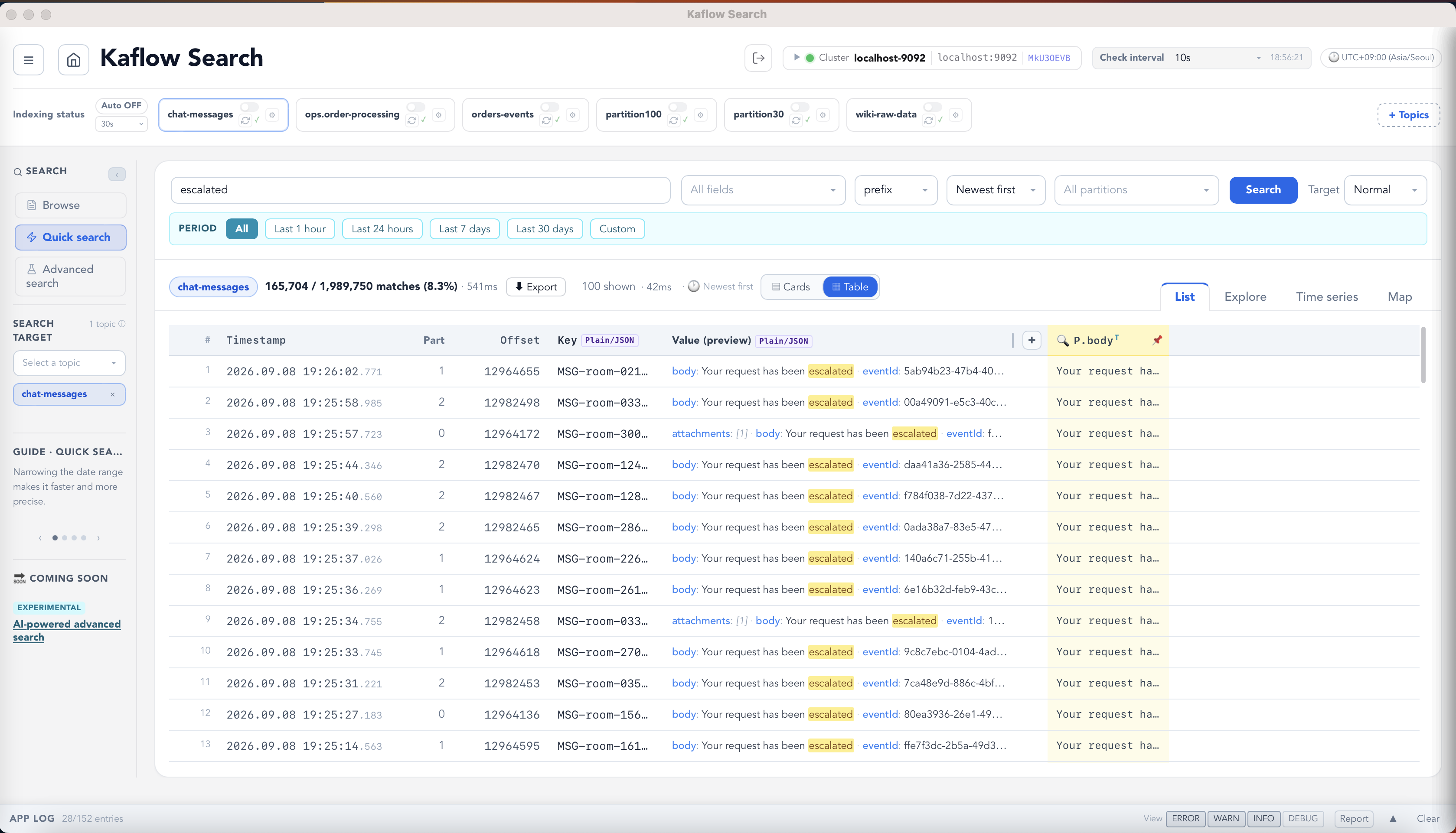
Real product screenSelected topics indexed locally
Repeated searches over a four-million-message topic — each one answered from the local index.Selected-topic indexingBounded local storageNo extra infrastructureYour data stays local
Common starting points
Helpful use cases.
These are a few examples, not limits. Start with any identifier, field, keyword,
or time range relevant to your system and investigate the Kafka messages that matter to you.
Especially useful for independent developers and small teams that already keep operational data in Kafka, but do not need the cost and operational overhead of running a full ELK stack.
Order investigation
A customer paid. Why is the order still stuck?
Search the same order ID across order, payment, and processing topics—without writing a temporary consumer for each one.
01Find the order waiting for inventory
02Confirm that payment was authorized
03Locate the warehouse timeout
Real product demo · synthetic data · 28 sec
Search key
ORD-20260812-483921
Finding Payment succeeded, but inventory reservation failed with WAREHOUSE_TIMEOUT.
Web & application logs in Kafka
Search Kafka-stored logs without running ELK.
If Nginx and application logs are already collected in Kafka, index them locally, narrow the failure window, and follow a trace ID to the cause.
01Filter 100K Nginx records to checkout 502s
02Drill into the incident time window
03Follow the trace into application logs
Real product demo · synthetic data · 35 sec
Detailed search
P.status = "502*" AND P.path = "/api/checkout*" AND P.method = "POST*"
Finding The checkout service exhausted its payment connection pool: 50 / 50 active, 184 pending.
Conditional traffic watch
Spot payment failures as they arrive.
A payment operations specialist keeps a lightweight keyword Watch open while Kaflow Search keeps the topic in sync.
01Watch payment_failed
02Keep the payment topic auto-synced
03Open the new match and act on the cause
Real product demo · synthetic data · 27 sec
Watched keyword
payment_failed
New match Order ORD-20260819-WATCH03 failed because the payment gateway timed out after 3000 ms.
Kafka outage continuity
Keep investigating when Kafka is unavailable.
Use the last local index to inspect the messages collected before the outage and identify work that still needs manual intervention.
01Review the processing flow just before disconnect
02Continue searching the local index
03Find the final order needing manual review
Real product demo · synthetic data · 49 sec
Local index search
PENDING
Finding Payment was authorized, but fulfillment never started. The order remains PENDING for manual review.
Beyond these examples
Have a different question hidden in Kafka?
Bring the clues that make sense in your system. Kaflow Search works with the topics and fields you already have.
01Index the topic locally
02Search your identifiers, fields, or keywords
03Use lists, exploration, and timelines to narrow the evidence
Your starting point
an ID · a field · a keyword · a time range
Your investigation The four scenarios are examples. Apply the same local search workflow to the Kafka data your team operates.
Real product screens
A closer look at the workflow.
Scroll sideways to explore the actual interface.
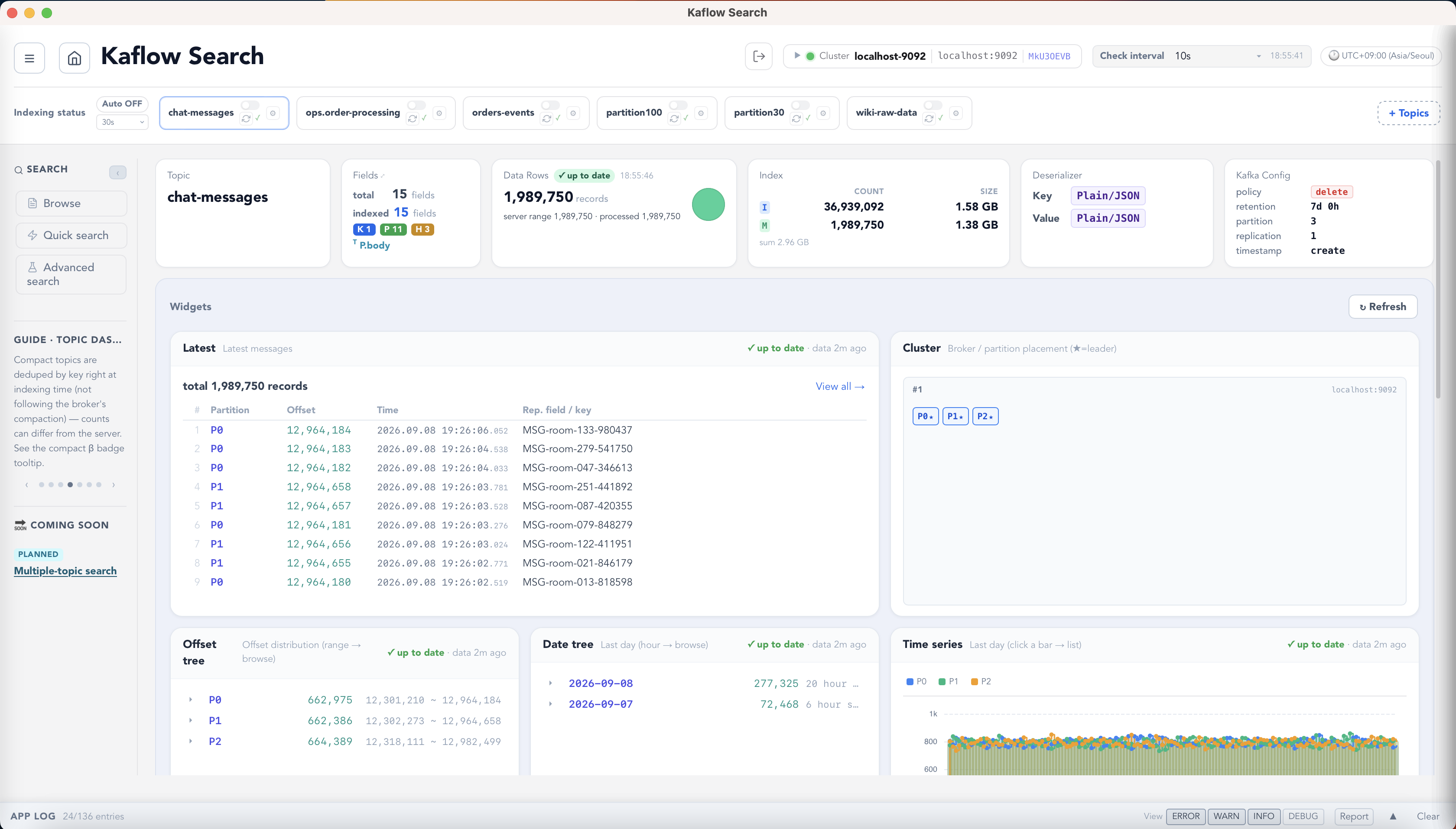
01 · Local indexSelect topics and understand what is stored locally.
02 · Quick searchFind matching messages without rescanning Kafka.
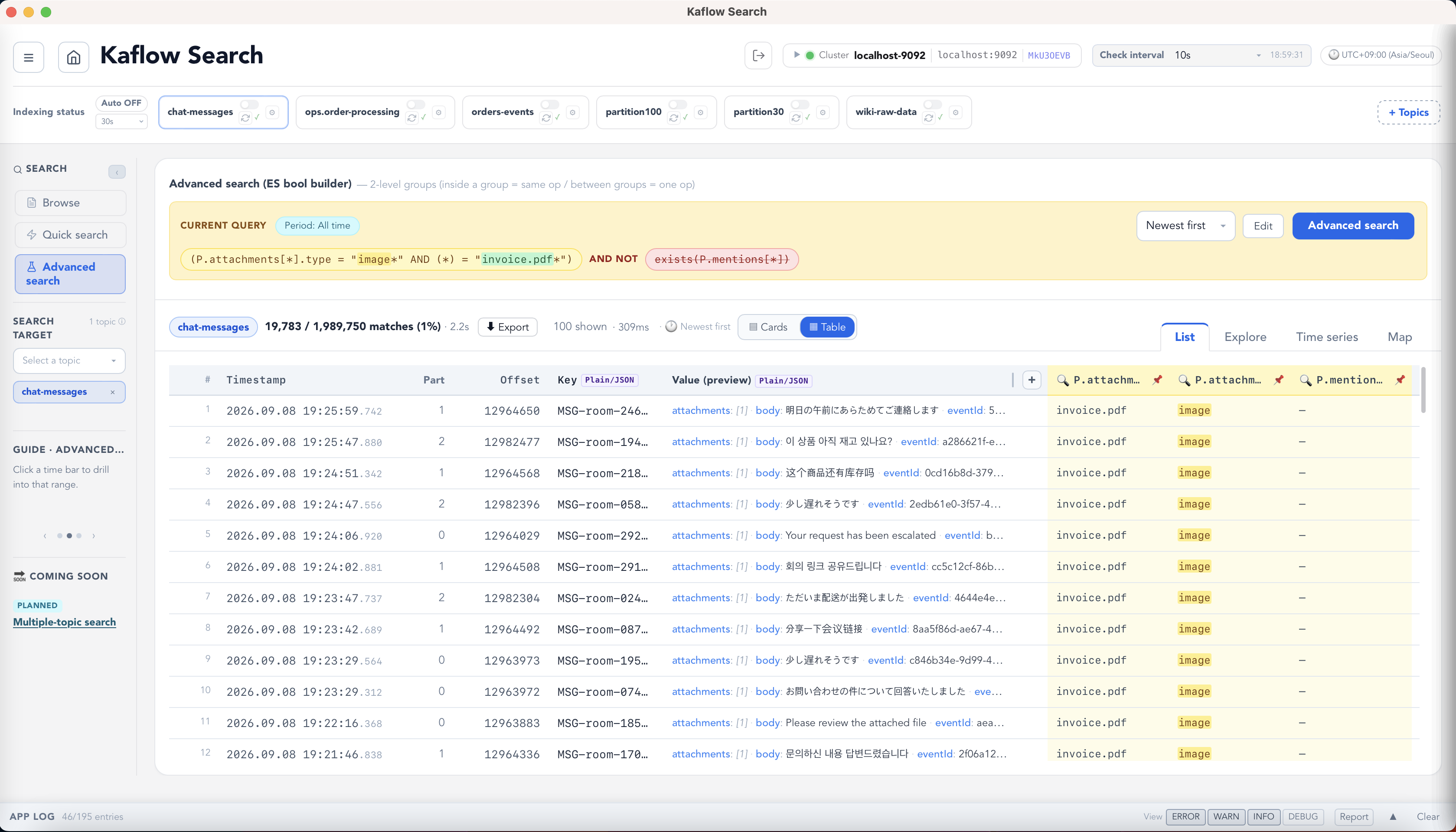
03 · Detailed queriesCombine fields and boolean conditions to narrow the evidence.
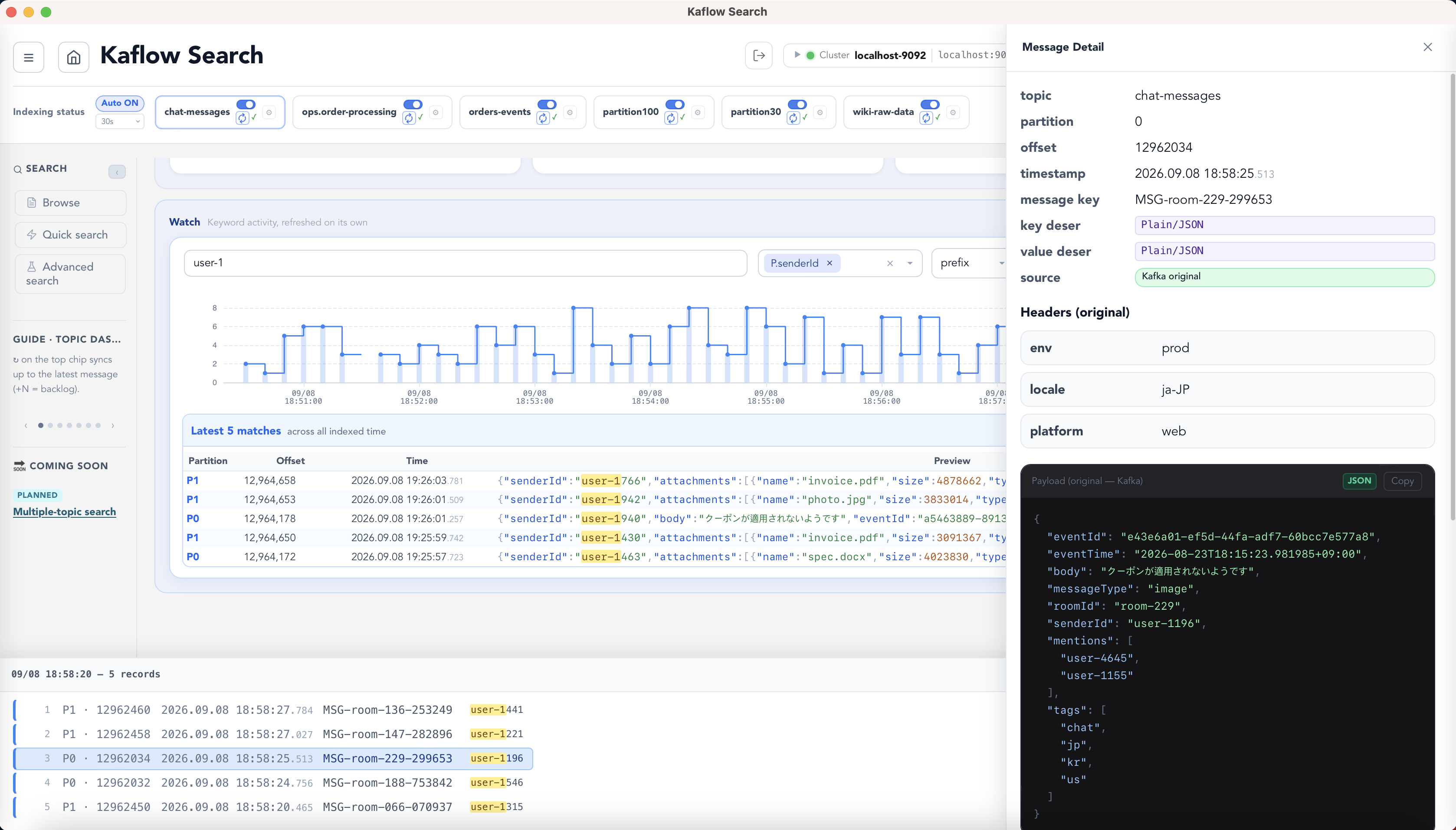
04 · Watch & inspectSee matching activity, then open the original message.
Kafka message search & keyword watch
Search Kafka like a database.
Watch & auto-sync
Keep an eye on the messages that matter.
Keep selected topics synced and watch for saved keywords as new messages arrive.
A lightweight way to spot the signals you care about during day-to-day operations—without adding a separate monitoring stack.
01Select a topic
↓
02Keep it auto-synced
↓
03Watch a keyword
01
Search, don't scan
Index only the topics you need and search millions of messages within a configurable local storage budget.
02
Query real payloads
Combine AND, OR and NOT across keys, headers, nested JSON fields and time ranges.
03
Decode anything
Work with JSON, Avro and Protobuf, including Confluent Schema Registry.
04
Private by design
Messages and indexes stay on your machine. Kaflow Search is read-only.
If Kaflow Search looks useful for later, star it on GitHub. It'll be easy to find when you need it, and your interest helps us keep improving it. Run Kafka long enough and the day comes when you need to find one particular message.